
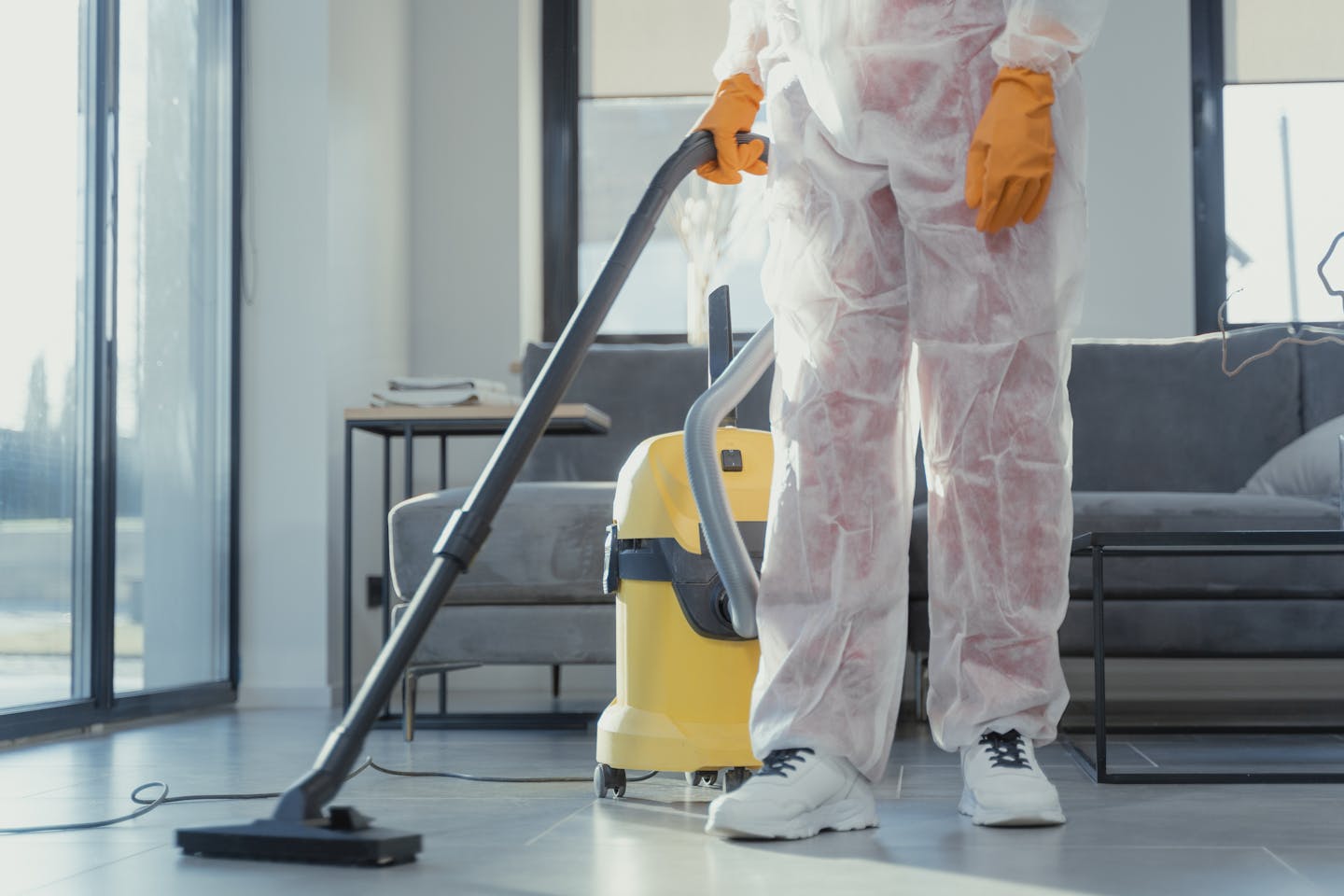
Cleaning service automation solves one of the most expensive problems in the cleaning industry: lost revenue from no-shows, forgotten rebookings, and manual scheduling chaos. Your cleaner shows up at 10 AM to a house in Highlands Ranch. Nobody’s home. Doors locked. No answer on the phone. She drives 25 minutes to the next job, and that slot — which could have been a $175 cleaning — is just gone. Dead time. You’re still paying her for the drive. And the client who no-showed? They’ll text tonight saying “Oh sorry, I forgot to tell you we’re out of town.”
This happens to cleaning companies constantly. Not once a month — multiple times a week. And every no-show, every last-minute cancellation, every client who “forgot” to rebook isn’t just an inconvenience. It’s a direct hit to your revenue with zero ability to recover that time slot.
The fix isn’t hiring a better office manager or sending more manual reminders. Instead, the fix is a system that handles scheduling, confirmations, reminders, and rebooking automatically — so your cleaners always have full schedules and your clients never “forget.”
Key Takeaways
- No-shows and last-minute cancellations cost the average cleaning company $1,500–$3,000 per month in lost revenue — automated reminders reduce cancellations by 25–40%.
- Two-stage reminders (48-hour + 2-hour) give clients enough notice to confirm, cancel, or reschedule — instead of just ghosting you.
- Automatic rebooking prompts after every visit keep recurring clients on schedule without your office chasing them down.
- Referral automation turns your happiest clients into a reliable lead source — cleaning customers refer more frequently than almost any other home service.
The Real Cost of No-Shows for Cleaning Services
Let’s put actual numbers on this. The average residential cleaning job runs $150–$250 depending on home size, location, and service level. A typical cleaning company with 4–6 cleaners runs 25–40 jobs per week.
Industry data from the International Janitorial Cleaning Services Association (IJCSA) and multiple scheduling platform studies shows that cleaning companies experience a 10–15% no-show or same-day cancellation rate when relying on manual confirmations alone. For a company doing 30 jobs per week, that’s 3–5 lost appointments every single week.
At $175 per average residential cleaning, those no-shows cost you $525–$875 per week. As a result, that’s $2,275–$3,790 per month in revenue that vanishes because a client didn’t confirm, forgot to cancel, or had a last-minute conflict that nobody told you about in time to fill the slot.
But here’s the part most cleaning company owners don’t think about: it’s not just the lost revenue from that one slot. Furthermore, there’s a cascading effect. Your cleaner has dead time she’s still being paid for. She might arrive at a locked house, sit in the driveway for 10 minutes, call the office, call the client, wait some more, and then drive to the next job — 30–45 minutes of paid time wasted. Multiply that by 3–5 no-shows per week and you’re burning 2–4 hours of labor every week on nothing.
How Cleaning Service Automation Handles Booking and Confirmations
The first layer of cleaning service automation is getting the booking and confirmation process out of your office manager’s hands (or yours, if you’re the one fielding calls and texts all day).
How Automated Booking Works
When a new client reaches out — whether through your website form, a phone call, or a text — the automation kicks in immediately:
- Instant acknowledgment: The client gets a text or email within 60 seconds confirming you received their request.
- Intake form: An automated link to a short form captures the details you need — home size, number of bedrooms/bathrooms, pets, specific requests, preferred day/time.
- Quote generation: Based on the form data, the system generates a quote using your pricing tiers. No manual calculation needed.
- Booking confirmation: Once the client approves the quote, they get an instant confirmation with date, time, cleaner name, and what to expect.
This entire process — which currently takes 2–4 back-and-forth messages and a phone call — happens automatically in minutes. Consequently, your office doesn’t touch it until the job is booked and on the schedule.
Example: A new client in Parker fills out your website contact form at 9 PM on Sunday. By 9:02 PM, they’ve received a confirmation text, completed the intake form, gotten a quote for $195 (4-bed, 3-bath deep clean), and booked Thursday at 10 AM. You see the completed booking Monday morning. Zero back-and-forth required.
Automated Reminders: The Two-Stage System That Kills No-Shows
Automated reminders are the single most effective weapon against no-shows in cleaning service automation. The timing and the content matter, however. A single reminder the day before isn’t enough. Research from healthcare scheduling (which has studied appointment no-shows more than any other industry) shows that two-stage reminders reduce no-show rates by 25–40% compared to a single reminder or no reminder at all.
The 48-Hour Reminder
Two days before the appointment, the client gets a text:
Example: “Hi Sarah! This is a reminder that your cleaning with Sparkle Pro is scheduled for Thursday, Feb 7 at 10:00 AM. Reply CONFIRM to keep your appointment, RESCHEDULE to pick a new time, or CANCEL if you need to skip this visit.”
This 48-hour window is critical because it gives you enough time to fill a cancelled slot. If Sarah replies CANCEL on Tuesday, you’ve got all of Wednesday to offer that Thursday slot to a waitlist client or a new booking. If she doesn’t reply at all, the system notes the non-response and flags it for your team.
The 2-Hour Reminder
Two hours before the cleaner arrives, another text goes out:
Example: “Hi Sarah! Your cleaner Maria will arrive at approximately 10:00 AM today. Please make sure the door is unlocked or leave access instructions. See you soon!”
This second reminder isn’t about cancellation — it’s about logistics. Specifically, it reminds the client to unlock the door, put the dog away, or leave the garage code. It prevents the “arrived but can’t get in” problem that wastes your cleaner’s time even when the client didn’t technically no-show.
The Numbers on Cleaning Service Automation Reminders
Let’s do the math on a company with a 12% no-show rate running 30 jobs per week at $175 average.
Without automated reminders:
- No-shows per week: 3.6 (round to 3–4)
- Lost revenue per week: $525–$700
- Lost revenue per month: $2,275–$3,033
- Lost revenue per year: $27,300–$36,400
With two-stage automated reminders (30% reduction in no-shows):
- No-shows reduced to: 2–3 per week
- Recovered revenue per week: $175–$350
- Recovered revenue per month: $758–$1,517
- Recovered revenue per year: $9,100–$18,200
Moreover, that’s just the direct recovery. The early cancellation notifications let you fill some of those slots with waitlist clients, pushing the actual recovery even higher. Plus you save the wasted labor hours from cleaners showing up to locked houses.
Automatic Rebooking: Keep the Recurring Revenue Flowing
The real money in residential cleaning is recurring clients. A one-time deep clean is great — that’s $200–$350 depending on the home. However, a biweekly client at $175 per visit is worth $4,550 per year. A weekly client? $9,100 per year. The lifetime value of a recurring cleaning client who stays for 3 years is $13,650–$27,300.
The problem is that recurring clients drift. They skip a week, then two weeks, then they “forget” to reschedule. Eventually, they’ve found another cleaner or just stopped cleaning altogether. Your office manager is supposed to follow up, but she’s got 80 other clients to manage and new bookings coming in.
How Automated Rebooking Works for Cleaning Services
After every completed cleaning, the system triggers a rebooking prompt tailored to the client’s schedule:
For recurring clients: The next appointment is already on the calendar, so the automation sends a confirmation for the next visit. “Your next cleaning is scheduled for [date]. Reply CONFIRM or RESCHEDULE.” As a result, the cadence stays locked in without anyone in your office touching it.
For one-time or occasional clients: The automation prompts them to rebook. “Hi! Your home is looking great. Want to keep it that way? Book your next cleaning: [scheduling link]. Clients who rebook within 7 days get 10% off.” The discount is optional, but the prompt is essential — you’re catching them at the moment they’re most satisfied with your work.
For lapsed clients: If a recurring client skips their next appointment or hasn’t booked in 30 days, a reactivation sequence fires. “Hi [Name], we noticed you haven’t had a cleaning in a while. Life gets busy — we get it. Want us to get you back on the schedule? Reply YES and we’ll find a time that works.”
Tired of chasing clients to rebook and confirm? We’ll map out a cleaning service automation system tailored to your operation — residential, commercial, or both.
Residential vs. Commercial Cleaning Service Automation
Not all cleaning service automation is the same. Residential and commercial cleaning operations have fundamentally different scheduling patterns, client communication needs, and revenue models. Therefore, your automation stack needs to account for both if you serve both markets.
Residential Cleaning Automation
Residential clients are individuals. They communicate by text. They have irregular schedules (vacations, holidays, “skip this week” requests). In addition, they need personal-feeling communication even when it’s automated.
- Booking: Online scheduling with real-time availability
- Reminders: Text-based, casual tone, 48-hour + 2-hour
- Rebooking: Automated prompts after each visit with scheduling link
- Communication: Primarily SMS, occasional email for receipts and promotions
- Upsells: Deep cleans, move-in/move-out specials, add-on services (oven, fridge, windows)
Commercial Cleaning Automation
Commercial clients are businesses. They have contracts, property managers, and procurement processes. They communicate by email. The scheduling is fixed, but the reporting requirements are higher.
- Booking: Contract-based scheduling — set it once, runs indefinitely until changed
- Reminders: Email-based to the property manager or office contact, more formal tone
- Reporting: Automated completion reports after each visit — time in, time out, tasks completed, photos if required
- Communication: Primarily email with PDF invoices and monthly summaries
- Invoicing: Automated monthly invoicing based on completed visits, with contract terms auto-applied
The biggest difference? Commercial clients rarely no-show (the building is always there), but they need accountability documentation. In contrast, residential clients no-show frequently but need less formal communication. Your automation system handles both — different triggers, different messages, same underlying engine.
Referral Automation for Cleaning Services: Your Best Lead Source on Autopilot
Here’s something most cleaning company owners know intuitively but don’t act on: cleaning customers refer more frequently than almost any other home service. Why? Because the results are visible. Their friend walks in, says “Your house looks amazing, who cleans for you?” and that’s a warm lead handed to you on a plate.
The problem, however, is that most cleaning companies don’t have a system for this. The referral happens in someone’s kitchen, the friend says “Oh I’ll have to look them up,” and then life happens and they forget. No follow-through. No tracking. No incentive.
How Automated Referrals Work
After every completed cleaning, as part of the post-visit sequence, the client gets a referral prompt:
Example: “Love your clean home? Share the love! Send this link to a friend: [unique referral link]. When they book their first cleaning, you both get $25 off your next visit.”
The system tracks the referral link. When the referred friend books, both parties automatically receive their credit. No manual tracking. No “remind me to give you that discount.” It’s handled.
A cleaning company with 80 active recurring clients running a referral program can realistically expect 2–4 new client referrals per month. At $175 per visit biweekly, each new recurring client is worth $4,550 per year. Even at just 2 referrals per month, that’s 24 new clients per year generating $109,200 in annual recurring revenue — from a system that runs itself after setup.
Compare that to the cost of acquiring a new client through Google Ads ($50–$150 per lead, with a conversion rate of maybe 20–30%). In contrast, referrals close at 50–70% because they come with built-in trust. And the acquisition cost? Essentially $25 — the referral credit you gave the existing client.
Automated Schedule Management for Cleaning Companies
If you’re managing recurring schedules in a spreadsheet, a wall calendar, or your head, you already know the pain. For instance, Client A wants biweekly on Tuesdays, but not the first Tuesday of the month. Client B wants weekly but skips whenever school is out. Client C wants monthly deep cleans but keeps moving the date.
Manual schedule management for a cleaning company with 50+ recurring clients is a part-time job by itself. Additionally, mistakes are expensive — double-booking a cleaner, missing a client’s skip request, or forgetting to schedule a one-off add-on all erode trust and cost you clients. This is where cleaning service automation makes the biggest difference in daily operations.
What Automated Schedule Management Handles
- Recurring pattern creation: Set a client to weekly, biweekly, or monthly, and the system generates all future appointments automatically.
- Skip and reschedule handling: When a client replies to a reminder with “SKIP” or “RESCHEDULE,” the system processes it, notifies the cleaner, and opens that slot for backfill.
- Holiday management: Pre-set holidays (Thanksgiving week, Christmas week, July 4th) with automatic skip-and-reschedule notifications sent to clients 2 weeks in advance.
- Route optimization: Group clients by geography so your cleaners aren’t zigzagging across town. A cleaner assigned to the southeast corridor stays in that area all day.
- Waitlist management: When a slot opens (cancellation, skip, or client churn), the system automatically offers it to clients on the waitlist before you try to fill it manually.
This isn’t about replacing your scheduler with software. Instead, it’s about eliminating the repetitive tasks that eat up 10–15 hours per week of someone’s time — time that could be spent on growth, quality control, or client relationships.
The Full Revenue Impact of Cleaning Service Automation
Let’s add it all up for a residential cleaning company running 30 jobs per week with 60 recurring clients:
- No-show reduction (30% fewer): $9,100–$18,200/year recovered
- Rebooking automation (fewer lapsed clients): $8,000–$15,000/year in retained recurring revenue
- Referral program (2–4 new clients/month): $50,000–$109,000/year in new recurring revenue
- Labor savings (reduced admin time): $10,000–$18,000/year in freed-up office hours
Total annual impact: $77,100–$160,200.
That’s the difference between a cleaning company that stays stuck at 30 jobs a week and one that scales to 50, 60, or beyond — without the owner working 70-hour weeks just to keep the schedule together.
And unlike monthly software subscriptions that charge you per user, per text, or per appointment, these automations are built once and owned by you. Fixed fee. No recurring costs eating into the revenue they generate. For more on how to calculate return on automation investment for your specific business, see our guide on the ROI of automation for trade businesses.
What Gets Automated vs. What Stays Human
A common concern with cleaning service automation is losing the personal touch. Cleaning is intimate — you’re in someone’s home. Clients want to feel like they have a relationship with you, not a robot.
Here’s the line we draw:
Automate: Booking confirmations, reminders, rebooking prompts, referral tracking, invoicing, review requests, schedule management, and routine follow-ups. These are repetitive, time-sensitive tasks where automation is more reliable than humans.
Keep human: Complaint handling, special requests, the initial relationship-building conversation with a new client, quality check-ins from the owner, and anything that requires judgment or empathy. When a client has a problem, they need to talk to a person — fast. The automation should route those conversations to the right person, not try to resolve them with a chatbot.
Ultimately, the automation handles the 80% of communication that’s routine so your team can focus entirely on the 20% that actually requires a human touch. That’s how you scale without losing the personal service that built your reputation. To learn more about where automation fits across your entire business, check out the complete guide to business automation for trade contractors.
Keep Reading
- CRM Automation 101 for Trade Contractors: Where to Start — The foundational guide to setting up your client database and automating communication from day one.
- The Hidden Cost of Manual Invoicing for HVAC Contractors — Same invoicing problems, different trade. The automation principles apply directly to cleaning companies.
- How Many Estimates Are You Forgetting to Follow Up On? — If you’re sending cleaning quotes and not following up automatically, you’re losing bookings.
- The ROI of Automation for Trade Businesses — How to calculate the real return on automation investment for your specific operation.
Stop Managing Your Cleaning Schedule Manually
Every no-show you don’t prevent, every rebooking you forget to prompt, every referral you don’t capture — that’s revenue walking out the door. Your cleaning business runs on consistency and volume. Cleaning service automation keeps both locked in without adding headcount or burning out your team.
We build scheduling, reminder, rebooking, and referral automation systems for cleaning companies — residential, commercial, or both. Fixed fee. No subscriptions. You own everything. See our full automation checklist to find out where your operation is leaking revenue, then let’s talk.